

 図書館カレンダー
FAQ
What should I do if I want to use materials from a different university library?
Articles cannot be searched. If you want to search articles, perform the search from the [Article Search] tab.
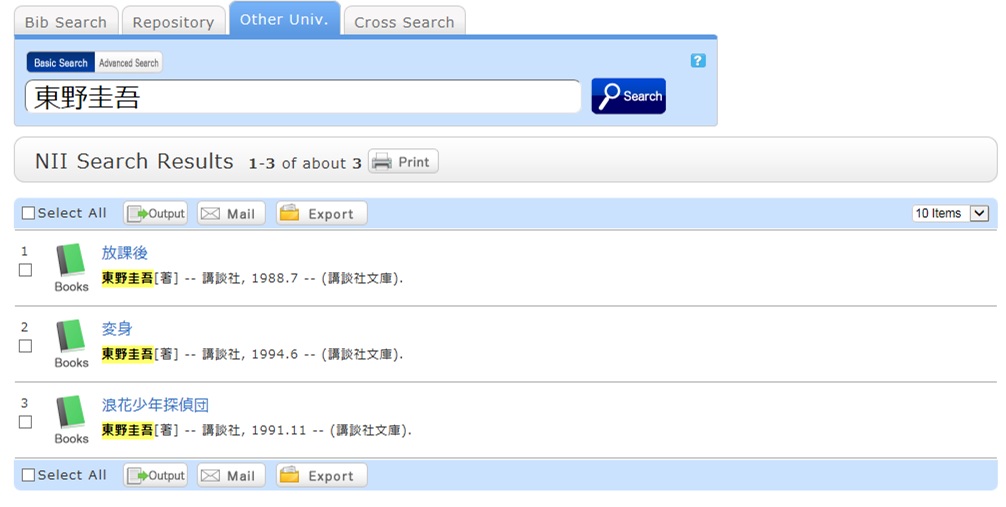
A search with an entered keyword will display the search result list screen.
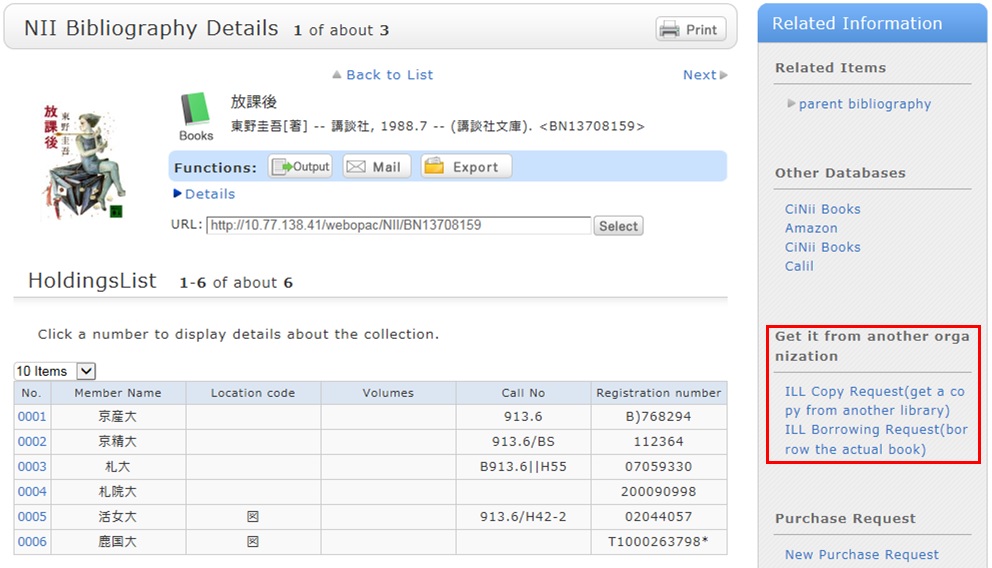
When a material is selected from this screen, the NII bibliography details screen appears.
Click one of the following options of the "Get it from another organization" item displayed in the right menu on the screen.
- ILL Copy Request (getting a copy from another library)
- ILL Borrowing Request (borrowing a physical book)
ILL Copy Request is a service for getting copies of parts of articles and books from other university libraries, etc.
ILL Borrowing Request is a service for getting books from other university libraries, etc.
図書館案内
利用者サービス
図書館活用ガイド



図書館アプリ

App Store:Fujitsu Limited
Google Play:FUJITSU LIMITED