

 図書館カレンダー
FAQ
What should I do if I want to search reviews and tags?
- See "
 New Tags" and "
 New Reviews" on the top page.
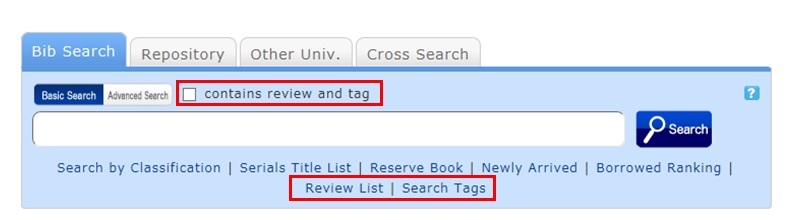
 - Select "Review List" or "Search Tags" under the search bar on the [Bib Search] tab.
- In [Basic Search] on the [Bib Search] tab, enter a check mark for "Contains review and tag."
- In [Advanced Search] on the [Bib Search] tab, select "Review" or "Tag" from the pull-down menu and search the materials.
(In contrast to the basic search, you can perform a search with multiple conditions.)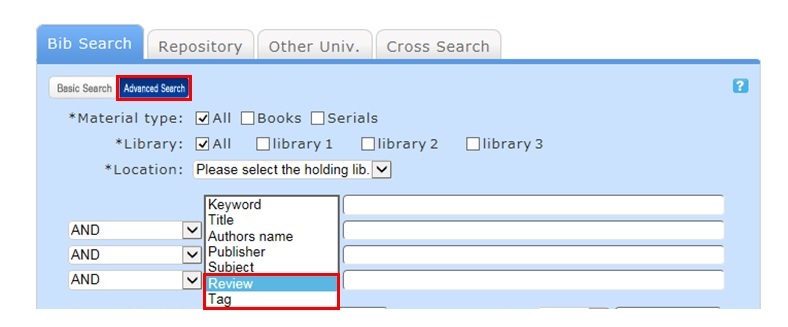
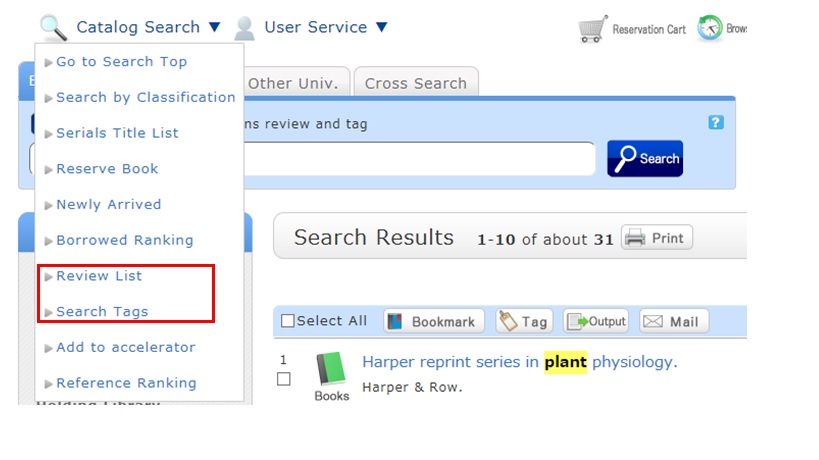
- Select "Review List" or "Search Tags" from the catalog search menu.
図書館案内
利用者サービス
図書館活用ガイド



図書館アプリ
App Store:Fujitsu Limited
Google Play:FUJITSU LIMITED