

 図書館カレンダー
FAQ
FAQ(English)
How do I change personal information in OPAC?
カテゴリ:
5.1. Personal Services
Log in to OPAC.
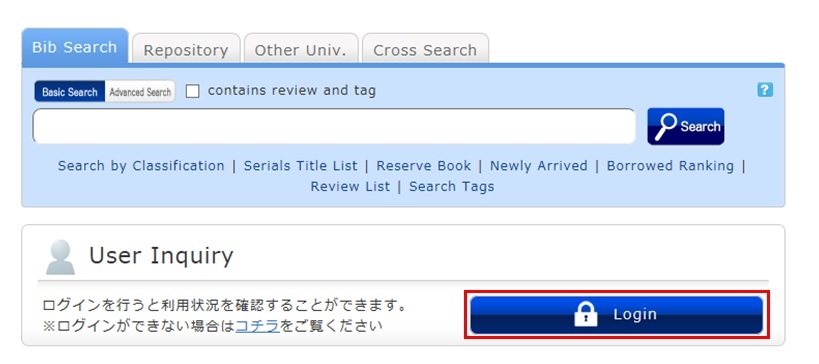
Click "Notifications to Mr./Ms. _____" in "User Inquiry."
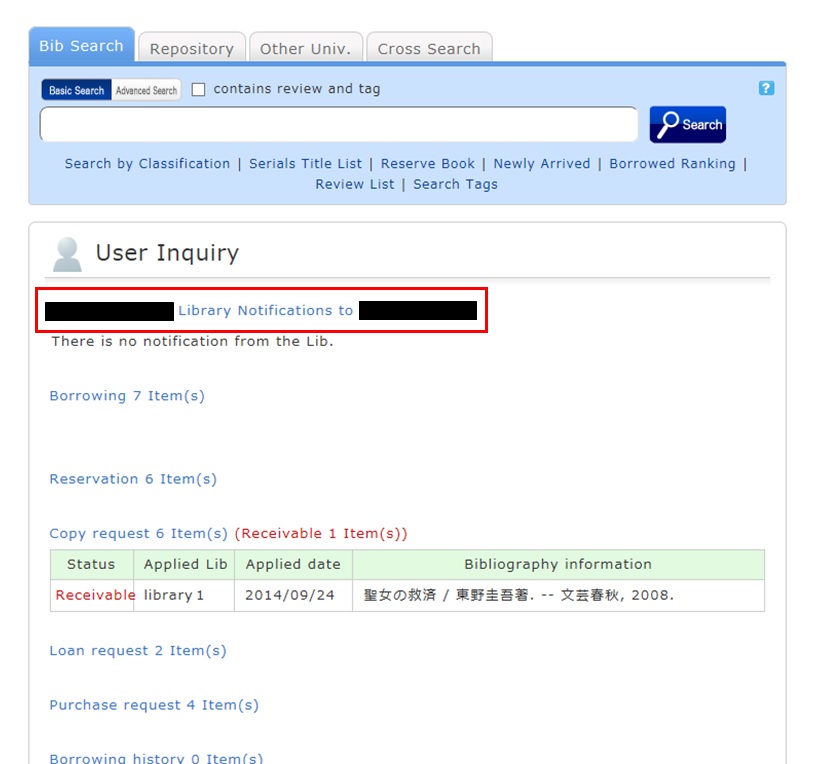
Click [Personal info.] in "Your Library Record."
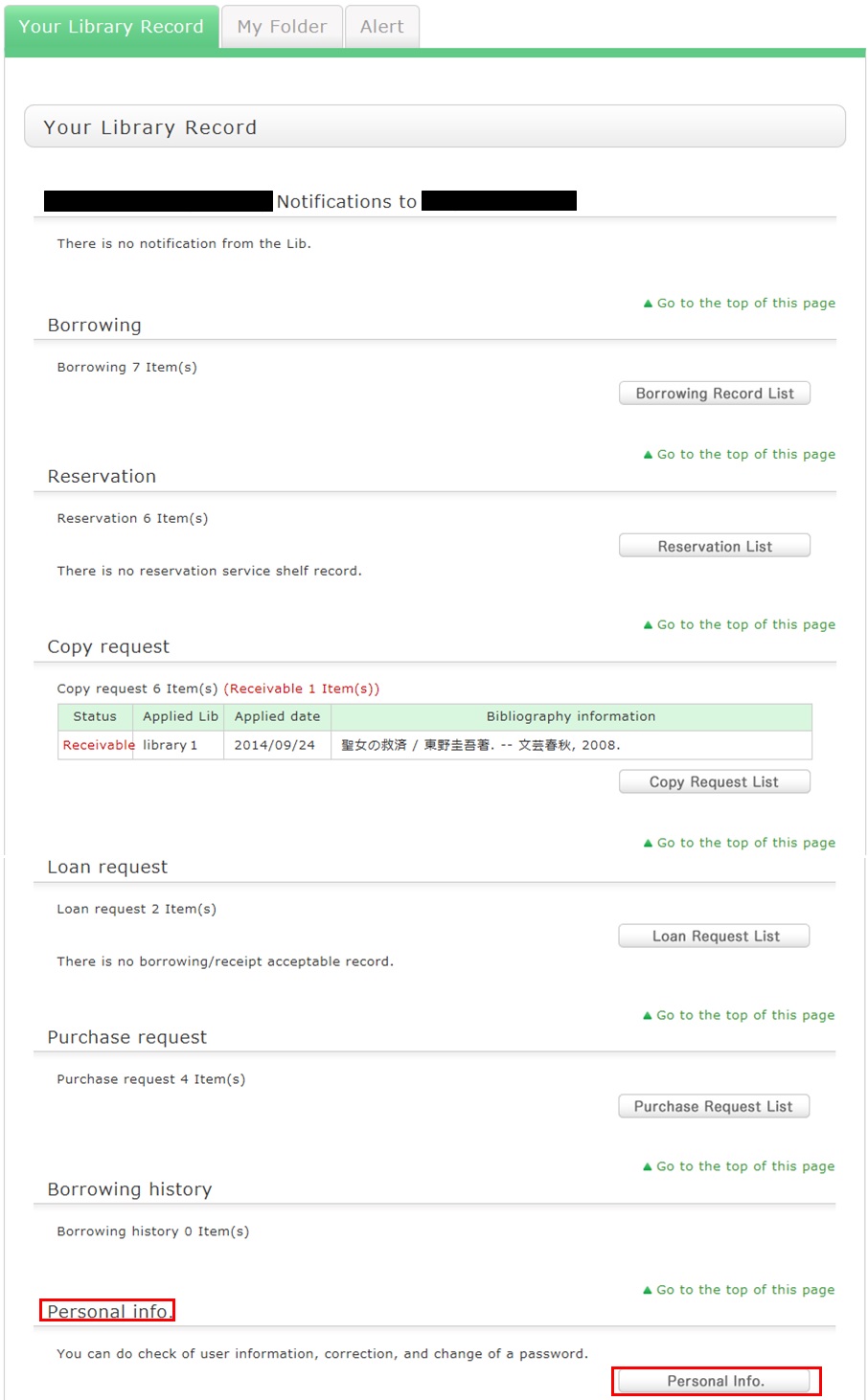
Click [Change Personal Info.] on the next screen, and make your changes.
(You will be able to select the updated information, such as an e-mail address, even for a reservation, ILL copy request, and ILL borrowing request.)
図書館案内
利用者サービス
図書館活用ガイド



図書館アプリ
App Store:Fujitsu Limited
Google Play:FUJITSU LIMITED